

Portfoliobox Review
Architects and designers frequently suffer from “portfolio stagnation.” Heavyweight tools like WordPress or custom-coded sites offer infinite flexibility but require high maintenance and technical knowledge. Conversely, standard builders often lack the specific gallery layouts and high-resolution image handling required to showcase spatial design. The result is either a broken, outdated site or a generic template that fails to communicate professional scale.
-
Fixed Layout Constraints: The “browser-based” editor can feel restrictive. If you need a specific, non-standard grid for technical drawings, the drag-and-drop system often resists granular positioning.
-
Mobile Scaling for Blueprints: Large-format images and detailed plans often lose legibility on the mobile-responsive versions of Portfoliobox templates.
-
SEO Limitations: While it covers the basics, the platform lacks the deep schema markup capabilities required for advanced local SEO strategies.
-
Asset Management: Bulk uploading and organizing 100+ project images can become cumbersome compared to more robust CMS alternatives.
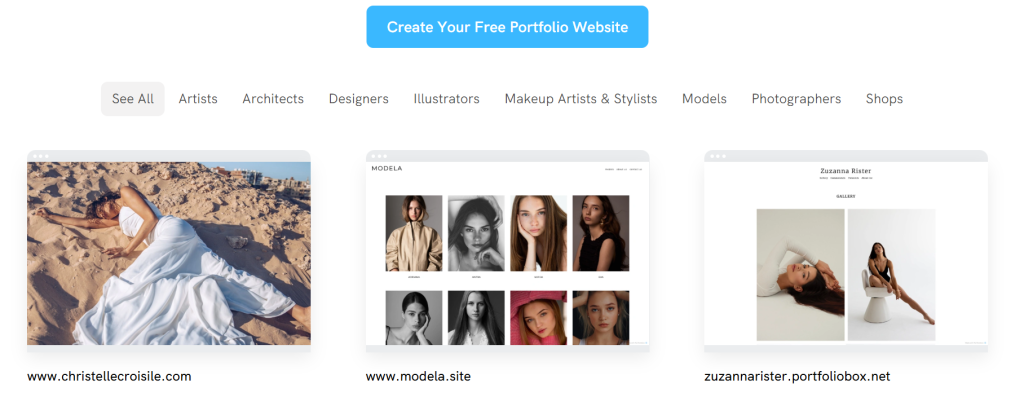
To extract professional value from Portfoliobox, ignore the generic templates.
-
Use the “Pro” Tier for CSS Access: Do not rely on the stock settings. Use custom CSS to fix typography scales and line heights, which are often too loose in the default themes.
-
Image Optimization: Export all renders and photos at exactly 72 DPI with a maximum width of 2500px. Portfoliobox’s internal compression can occasionally “muddy” the gradients in high-end architectural renders if the source file is too large.
-
External Hosting for Technical Docs: Do not host large PDF sets directly on the platform if you want to maintain site speed. Use a dedicated CDN or cloud link for “Request Full Drawing Set” calls to action.
-
Domain Mapping: Always use a custom domain. Using the “portfoliobox.io” suffix signals a lack of professional infrastructure to high-end clients.
Portfoliobox is a utility tool, not a design masterpiece. It is built for the practitioner who needs a clean, functional site online in 48 hours. If your practice requires complex integrations or a unique digital experience, look elsewhere. If you need a digital business card that displays high-res images reliably, it is a viable, low-overhead option.
Tool Review: Portfoliobox
Verdict: 7.2/10
Pros: Fast setup: no hosting configuration required: affordable pricing tiers for juniors and solo practitioners.
Cons: Limited scalability for large firms: rigid design “rails” can feel claustrophobic: mediocre backend file management.
Bottom Line: Use it for quick project-specific landing pages or a starter professional site. Avoid it for high-complexity firm branding.